Freedom to Learn with UPTO 20% Off on all Edwiser Products
Light up your learning this Independence Day (Discounts auto-applied at checkout)


Video Course Format for Moodle
Video learning perfected for Moodle™
In-page video playback that stays clean and focused.
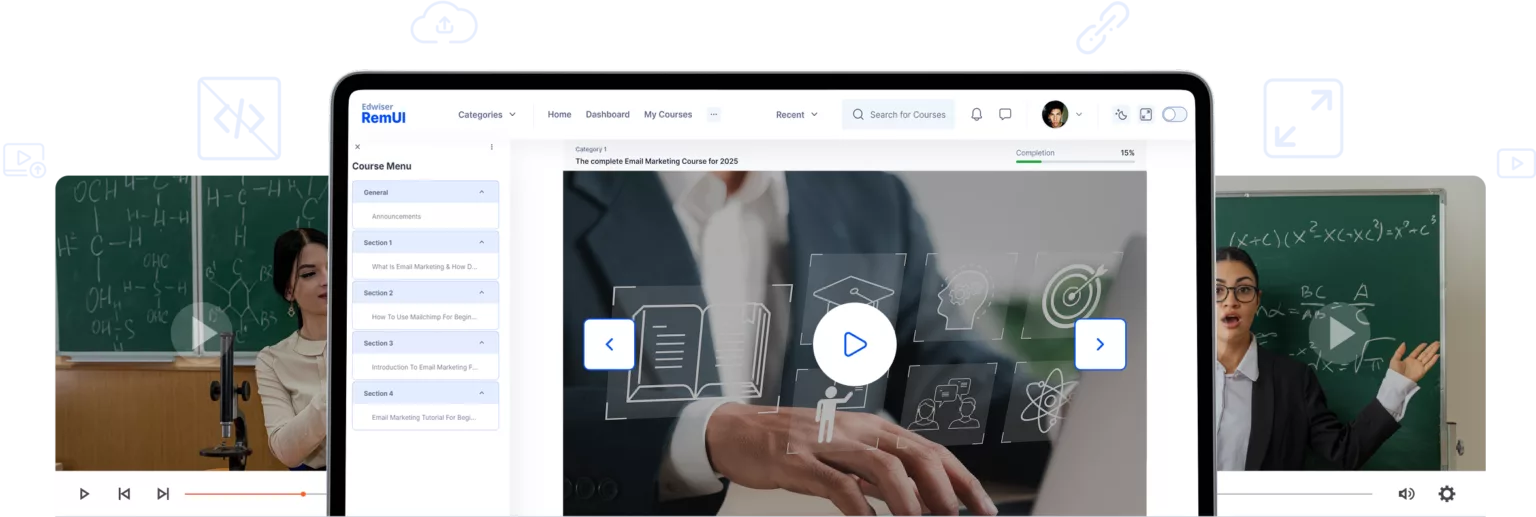
The look and feel of leading platforms like
Udemy and Coursera, inside Moodle.
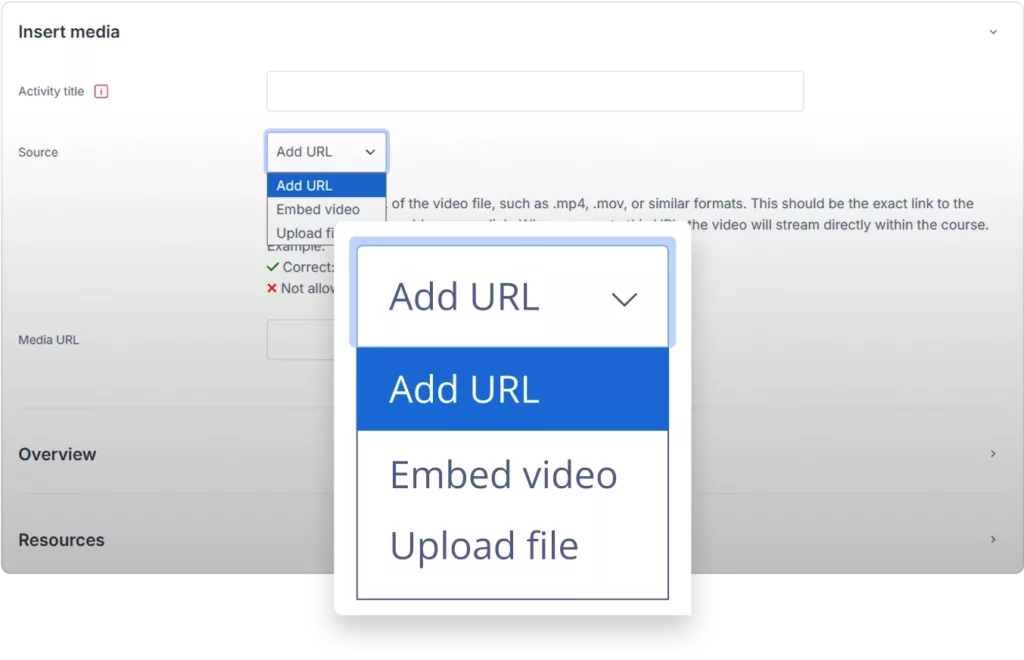
Embed instantly from YouTube, Vimeo, and more.
Just paste the link, no coding needed.
Keeps your site lean
No new database tables, no extra streaming layer, no bloated backups.
Distraction-free layout
That helps learners start, track and finish every lesson.
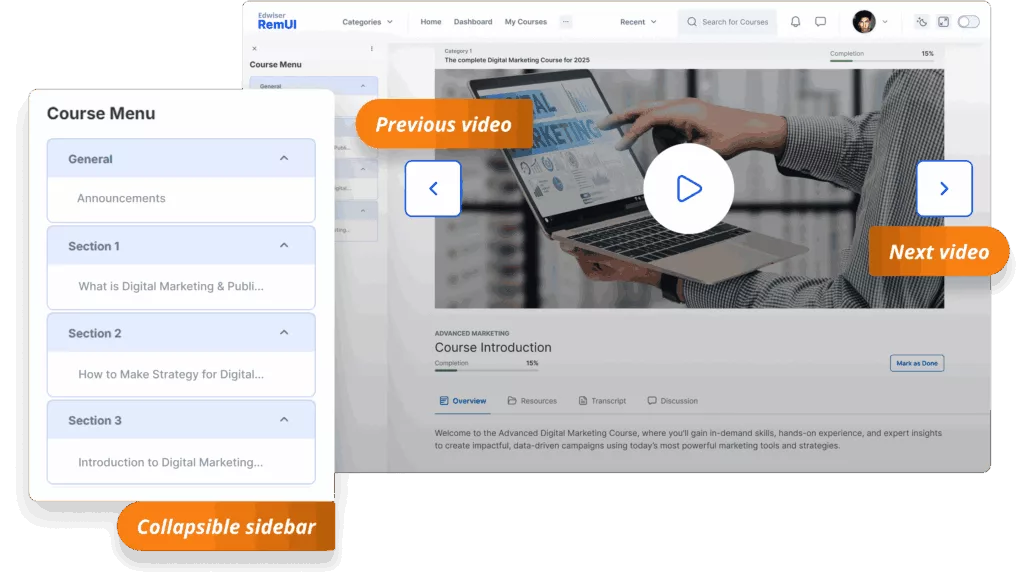
Video-first layout & auto playlist
Largest possible player with a collapsible sidebar where each course section or activity becomes a “next up” item, no manual linking.
Use the same Moodle video workflow — with far better results
You add videos with the normal file, URL, or embed code from platforms like YouTube, Vimeo, or others.
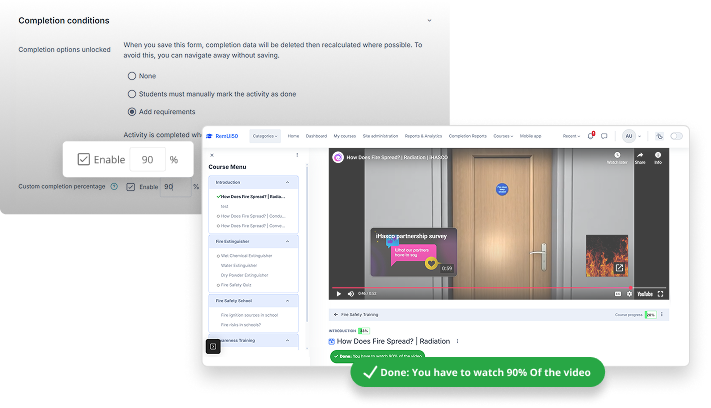
Track real learning progress — Not just video clicks
Most Moodle video tools mark completion as soon as a video opens. Edwiser changes that with real completion tracking based on the percentage of video watched — so you know who truly engaged.
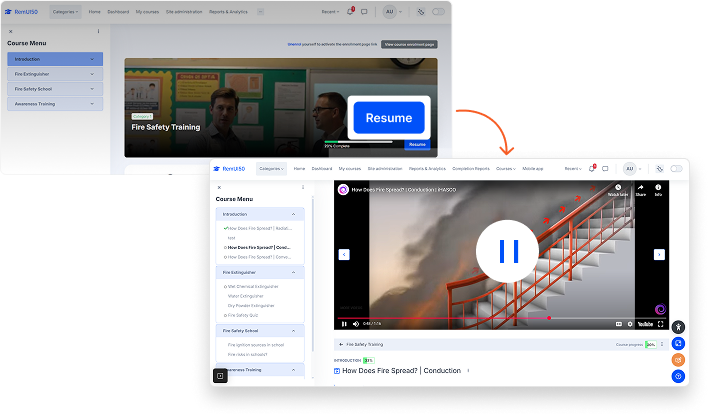
Resume videos instantly — Pick up right where you left off
Moodle doesn't remember where learners stop. Edwiser saves their exact video progress — YouTube, Vimeo, or HTML5 — so they resume right where they paused
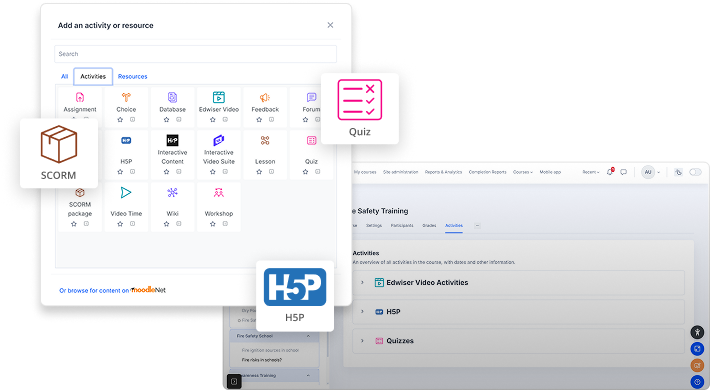
Go Beyond Videos — Support Every Moodle Activity, Seamlessly
Edwiser Video Course Format supports all Moodle activities while still keeping a sleek, video-centric layout
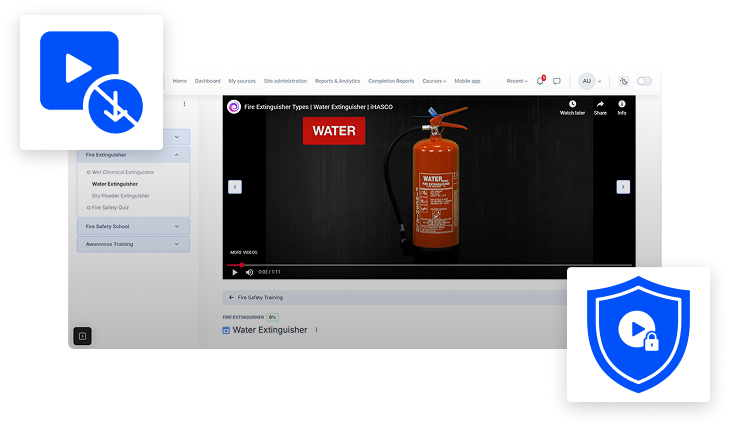
Keep Your Video Content Secure and Protected from Unauthorized Downloads
Edwiser Video Course Format ensures your uploaded videos and course content stay protected within Moodle — keeping your intellectual property safe while delivering a smooth playback experience
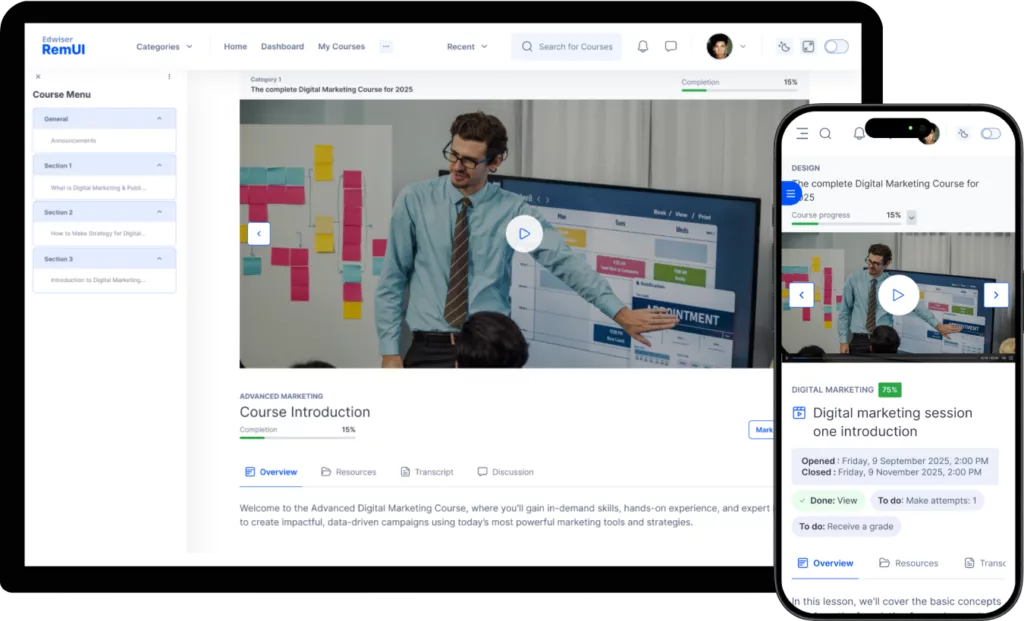
Mobile ready
The format inherits Boost styling and scales perfectly on phones and tablets.
Use cases & who it's for
Different Moodle users. One seamless video experience. The Edwiser Video Course Format is built for educators, institutions, and training providers who rely on video learning and want a modern, engaging experience without leaving Moodle.
Deliver video-based courses with a modern learning flow
Perfect for: Freelance educators, online course creators, academic institutions
- Play videos directly inside the course page — no new tabs
- Replace long, text-heavy layouts with a clean, Netflix-style design
- Track learner progress by completion percentage
- Improve course completion with focused, inline video playback
Enhance existing Moodle courses for better learning
Perfect for: Universities, colleges, training organizations already using Moodle
- Modernize courses instantly — no theme or redesign needed
- Let learners resume videos across devices
- Simplify navigation for non-technical learners
- Boost credibility with a professional, video-first interface
Engaging video training for employees or teams
Perfect for: Corporate L&D teams, onboarding & compliance training providers
- Track real progress with custom completion rules
- Higher completion rates with resume- friendly playback
- Get insights into engagement and viewing patterns
- Offer a sleek, modern learning experience inside Moodle
Why learners love Video Course Format
Zero navigation friction
The large cinema-style player stays central, while a collapsible sidebar keeps the full course map just one click away.
Never lose the thread
The auto-playlist turns every section or activity into a clearly numbered 'Next-Up' item, so students always know what comes next.
Stay in the zone on any device
Inherited Boost styling and full mobile responsiveness mean learners can jump from phone to laptop without relearning the interface.
Pure focus on content
No extra pop-ups, tabs, or streaming layers; just hit play and keep progressing, distraction-free.
Experience Edwiser Video Course Format for Moodle in action
- Notice how the video content takes center stage with the largest possible player, creating a focused, cinematic experience.
- See how every video section automatically becomes a "next up" item in the playlist. No manual linking is required.
Edwiser Video Course Format demo
Get Edwiser Video Course Format for Moodle
Early Bird Special! Only 50 copies available at 50% OFF.
Freedom to Learn with UPTO 20% Off on all Edwiser Products
Light up your learning this Independence Day (Discounts auto-applied at checkout)
Switch to EdwiserCloud and slash your annual hosting and plugin spend.
FAQs
What is Video Course Format?
Video Course Format is a plugin for Moodle that transforms a standard course page into a user-friendly, video-centric layout similar to platforms like Udemy. It organizes your course content into an automated playlist with a large video player, creating a distraction-free learning environment for students.
How is this different from just adding a video to a Moodle page?
While you can embed videos on a standard Moodle page, the Video Course Format redesigns the entire course interface. It provides a dedicated, cinema-style player, a collapsible sidebar that acts as a playlist, and clear navigation so learners always know what to watch next. This avoids the clutter of a typical Moodle page and focuses student attention on the video content.
Is this a Moodle theme?
No, it is a course format, not a theme. You can select it from your course settings, and it will work with your existing Moodle theme.
What video hosting services are supported?
You can embed videos from major platforms like YouTube and Vimeo by pasting a link. You can also use video files that you upload directly to your Moodle server.
Can I include other activities besides videos?
Currently, the layout officially supports videos and quizzes. While other activities (like assignments or forums) might appear in the navigation, they are not fully optimized for this layout.
Will this slow down my Moodle site?
No, the Video Course Format is designed to be lightweight. It does not add new database tables or require extra processing layers, which helps keep your site performance fast and backups lean.
Is it compatible with my version of Moodle and my theme?
Yes, the Video Course Format is built to be compatible with modern Moodle versions and inherits its styling from the Boost theme, ensuring it works well with most Moodle themes right out of the box.
Is the Video Course Format mobile-friendly?
Yes, it is fully responsive. The layout automatically adjusts to fit perfectly on desktops, tablets, and smartphones, ensuring a seamless experience for learners on any device.